Ladder System Portfolio content
The Ladder System is a feature created for sites and schools to provide healthcare professionals with a way to outline experience, education, and professional activities in order to seek advancement and professional growth.
The Ladder System is an additional feature and must be enabled for your school/site in order to be used. Please have your school or clinical site reach out to an ACEMAPP team member to have this feature enabled.
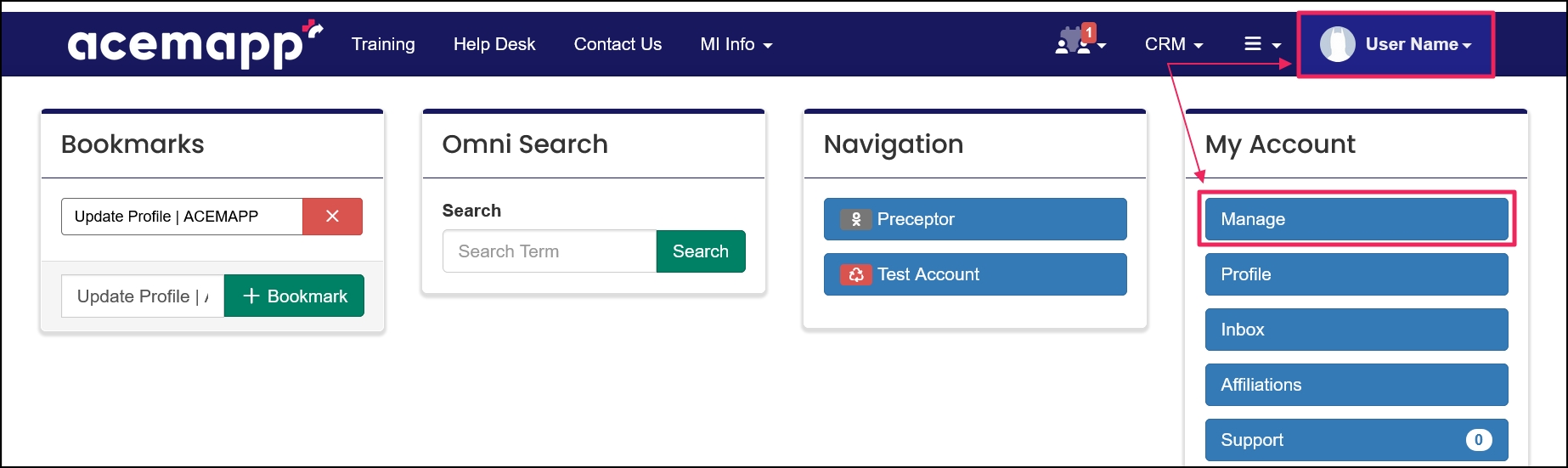
Step 1: Access Your Personal Menu
From your home screen, click on your name/avatar and select "Manage" from the drop-down menu.
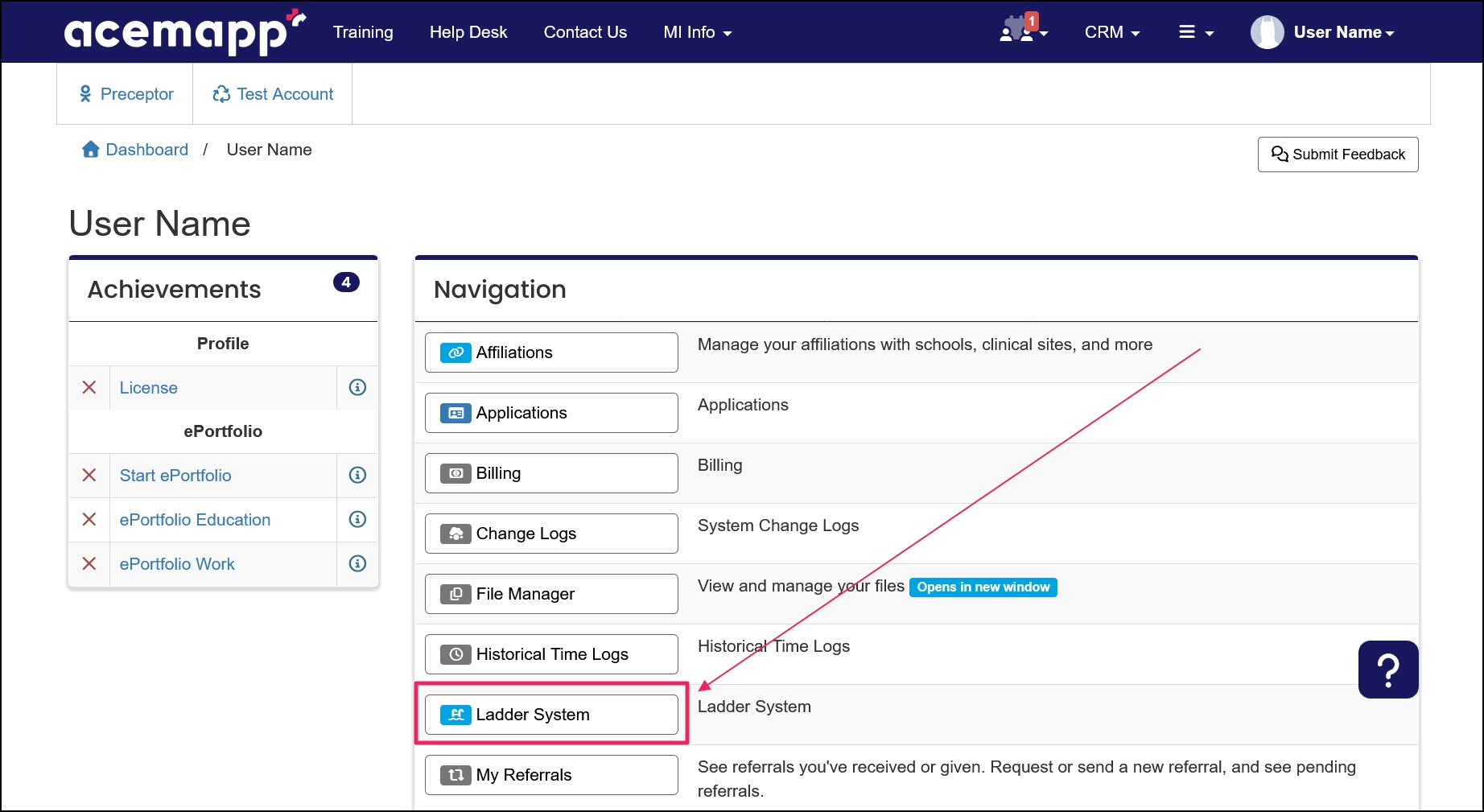
Step 2: Access Ladder System
On the Manage page, click on "Ladder System".
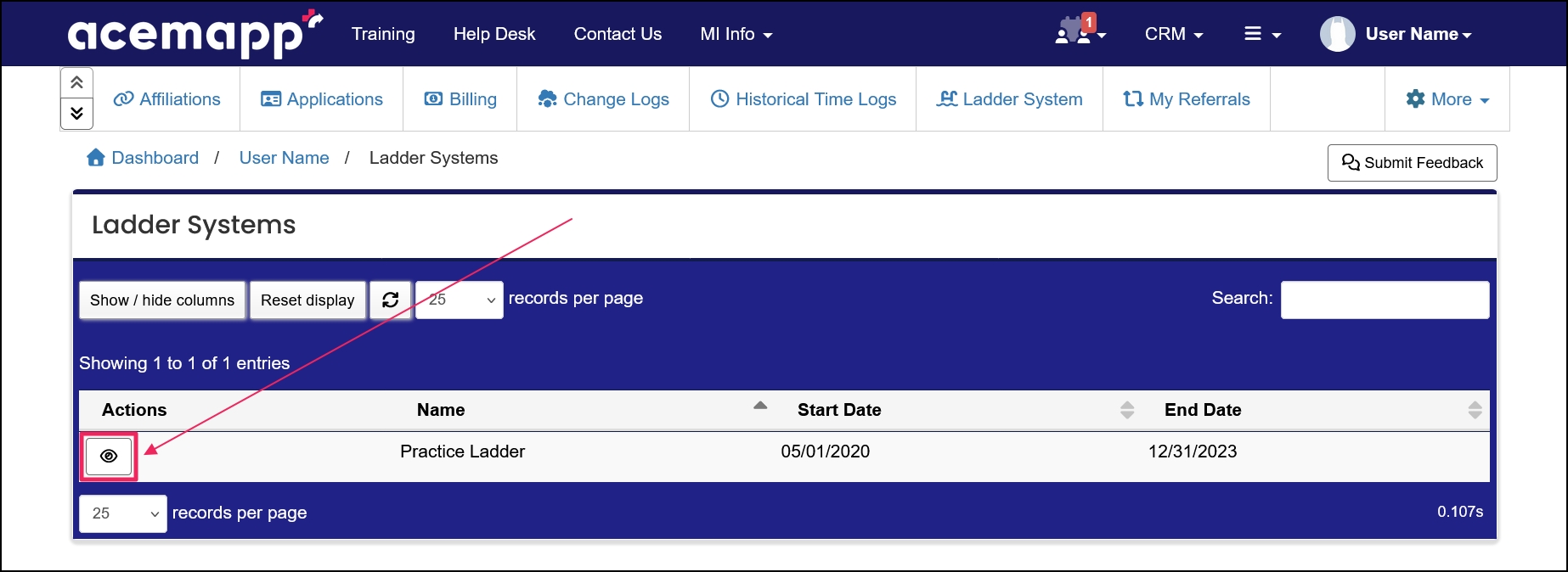
Step 3: View a Ladder
On the Ladder System page, click the "View" button next to the Ladder you wish to view.
NOTE: Some ladders require an application. Click on the link in the description to be taken to the Application. Once they approve the application, you can then proceed to the next step.
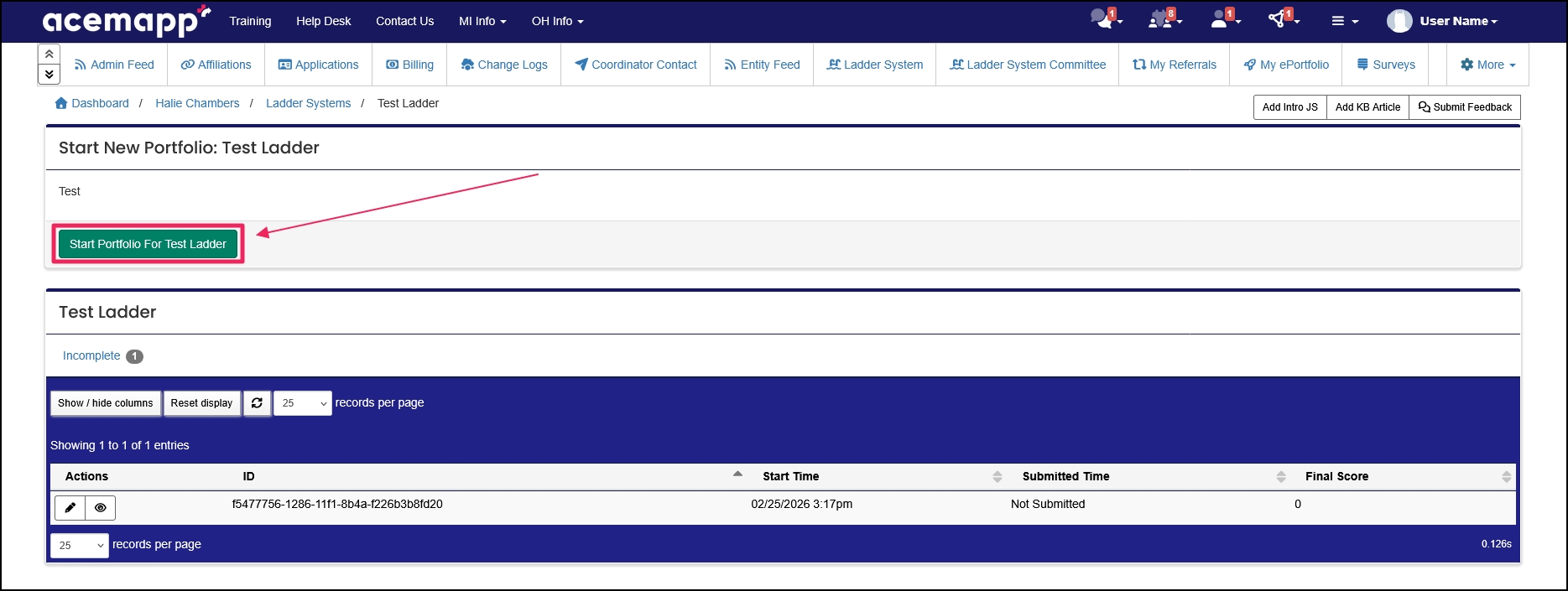
Step 4: Start a New Portfolio
On the Start New Portfolio page, read any directions. When ready to proceed, scroll to the bottom of the page and click on the "Start Portfolio" button.
Step 5: Complete Your Portfolio
Each Portfolio is different. If you submitted an Application, you can select it here or select another approved, unused application.
Answer each item.
Review your items by clicking the " Summary" button in the Navigation panel.
Step 6: Submit Portfolio
Click the "Submit" button to finalize your items and send for approval.
A request made by a member for a rotation opportunity or to affiliate with an entity.
A request made by a member for a rotation opportunity or to affiliate with an entity.
